
Sterling / Home integration / Touchscreens
A Control4 touchscreen Monroe GA homeowners use every day puts lighting, shades, music, cameras, climate and the intercom on one wall panel. We choose the locations, wire them before drywall and program screens around how each room is used. Every Control4 touchscreen Monroe GA project we install is laid out room by room, not copied from a template.
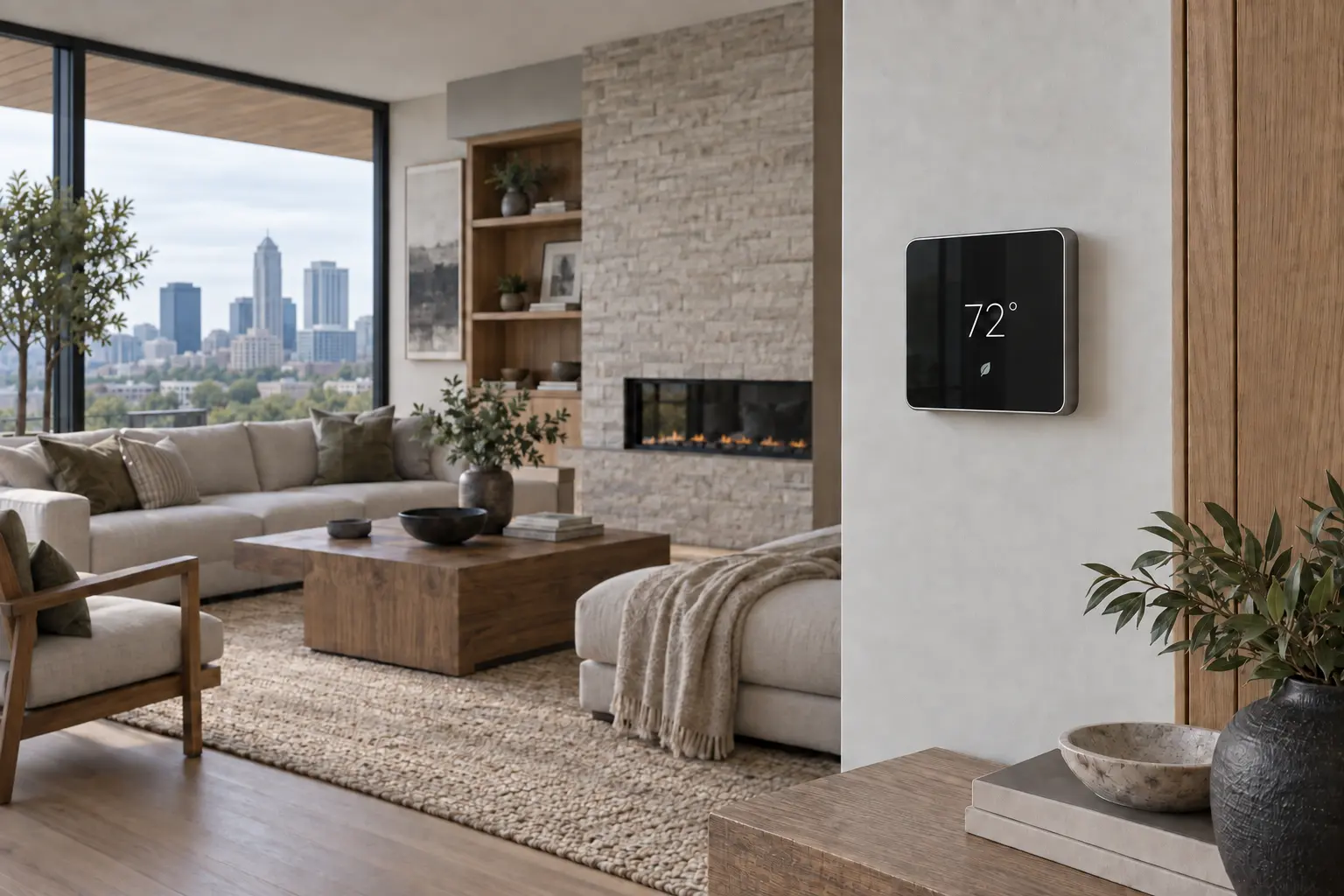
A touchscreen is the one place in the house where everything comes together. The kitchen panel shows who is at the gate. The panel by the garage door shows whether every door is locked. The one in the media room starts the movie and dims the lights. When the screens are placed well and programmed simply, nobody in the family needs the app for daily life. When they are placed badly or crowded with every option, they become decorations. A Control4 touchscreen Monroe GA families actually use is planned as carefully as the rooms around it. That is the standard we hold every screen to.
Where screens go
Not every room needs a screen. These are the places where a Control4 touchscreen Monroe GA homeowners install pays off every day. Everywhere else, keypads and remotes usually do the job better and cost less. A Control4 touchscreen Monroe GA plan usually covers three to five rooms in a large custom home.
The command center: cameras, the gate, music, lights and the family intercom where everyone gathers. It is the screen used most in almost every home.
Lock status, garage doors and the Goodbye scene at the door you leave from most. One look tells you the house is ready to leave. It is a core part of any Control4 touchscreen Monroe GA plan.
Goodnight, shades, climate and a camera check without getting out of bed. Dark mode keeps the room dim at night.
Movie scenes, sources and lighting, with dark mode so the screen does not glow. It pairs well with a handheld remote. We plan it early in every Control4 touchscreen Monroe GA design.
A tabletop screen for the gate, intercom and cameras while you work. It can move if the room changes.
The difference that matters
Both run on the same hardware. The difference is placement and programming. A Control4 touchscreen Monroe GA homeowners love shows less, not more. We design the first page of every screen around the three or four things that room needs most. That gap is what we close on every Control4 touchscreen Monroe GA project.
Every device on the first page, menus three levels deep and buttons nobody understands. The family goes back to their phones and the screen becomes a clock.
The first screen shows the few things that room needs. Cameras pop up when the doorbell rings. Scenes are named the way your family talks, and anyone can use it.
How it gets built
In-wall touchscreens need the right wall box, a network cable and power in the right spot. We mark each location with you during planning, set the wall boxes and pull network cable at rough-in, and keep screens out of direct sunlight and away from heat sources. At trim we mount the panels, match the trim finish to your switches and program each screen for its room. Then we walk the family through it. We also check the network switch and power budget so every screen runs reliably over PoE. Where a screen sits near a window, we check the sun path so glare does not wash it out in the afternoon.
For finished homes, retrofit wall boxes and tabletop screens let us add touchscreens with minimal wall work. Every Control4 touchscreen Monroe GA location is documented with its wall box type and cable run, which makes future upgrades simple.
The T5 generation
The Control4 T5 in-wall touchscreen replaced the T4 in 2026. It has a slimmer flush-mount design, faster processing and simpler Power over Ethernet installation, so one network cable carries power and data. A proximity sensor wakes the screen as you walk up, magnetic trims come in colors that match Control4 lighting, and a configurable dark mode suits theaters and bedrooms. Built-in microphones support clear intercom calls. Because it is built for future Control4 software updates, a T5 installed today should keep getting new features without new hardware. For homes with older screens, the T5 is the natural upgrade path, and in many cases the new panel can be fitted with a retrofit approach.
Intercom and cameras
Touchscreens double as an intercom between rooms and as a video screen for the front door and gate. When someone presses the doorbell, the nearest screens can show the camera so you can talk to them and let them in. A Control4 touchscreen Monroe GA families place in the kitchen often becomes the main way they answer the door and the gate. You can also call the kitchen from the office or the bonus room, or make an announcement to the whole house when dinner is ready.
Why it matters here
Large homes around Monroe, Madison and Watkinsville are spread out, often with a gate at the road and outbuildings on the property. A Control4 touchscreen Monroe GA family members can use in the kitchen saves trips to the door and the window. You see who is at the gate, open it and watch them drive in without leaving the room. In homes with a pool house, guest house or shop, a screen can also show those cameras and lights, so you are not walking the property to check on things.
Many of these homes also have guests, grandparents and staff who never install an app. A well-programmed wall screen gives them the same simple controls the family uses, with no logins and nothing to set up. That is a big reason a Control4 touchscreen Monroe GA homeowners install tends to get used more than the app inside the house. Staff and guests can use a screen in the first minute without any training, which is the real test of a good layout.
Options compared
In-wall touchscreen (our standard for main rooms). Always on the wall, always charged, powered over the network. Best in kitchens, entries and suites. Screens are always ready, never lost and never out of battery, which is why most families end up using them more than they expected.
Tabletop touchscreen. Sits on a desk or nightstand and plugs in, so it suits finished homes and rooms where a wall location does not work. It is also a good fit for a desk, a bar or a bedside table where you want control within reach. Many Control4 touchscreen Monroe GA clients start here.
Phone and tablet app. Great for control from anywhere, but phones leave with their owners and guests may not have the app. Most homes use the app and wall screens together. We help you decide which rooms need a wall screen and which are better served by a keypad or remote.
Budget
Every house is different, so we do not publish one price. Touchscreens are usually part of a larger Control4 project. As a typical 2026 guide, not a quote, focused projects often start in the low five figures, and whole-home systems commonly range from about $40,000 to well over $150,000. We price touchscreens alongside the systems they control, because the screen is only as useful as what it runs.
The number of screens, in-wall versus tabletop, screen size, intercom use and how many systems each screen controls drive the price most. We price screens room by room so you can start with the most useful locations and add more later.
Planning a Control4 touchscreen Monroe GA location before drywall keeps the cost and the wall work down, because the wall box and network cable are simple to place in open framing. Adding a screen later is still possible with retrofit boxes or tabletop models.
Screen placement
Good spots: beside the kitchen pantry or island, at the garage entry, inside the primary suite door and in the media room near the seating. Avoid: direct afternoon sun, beside ovens or fireplaces, behind doors that swing open, and places where a screen would be the first thing guests see from the front door. We also avoid tight hallways where a person standing at the screen blocks traffic, and spots where the screen faces a TV and reflects it.
Height matters too. We usually match the screen center to a comfortable eye line and align it with nearby switches and keypads, so the wall looks planned instead of busy. We mock up locations with tape or drawings before anything is cut, so you can see how each Control4 touchscreen Monroe GA location will look on the finished wall. We start with how your family moves through the house: where you come in, where you cook, where you watch and where you sleep.
Choosing a dealer
Control4 hardware is sold and supported through authorized dealers, and service on a system requires a dealer of record. Ask any installer to show you how they lay out home screens, how they handle intercom and cameras, and who updates the software later. Control4 lists the current touchscreen models and finishes. Ask whether they will customize the layout or install the default screens, because that choice decides whether the family uses them.
Also ask how many screens they would recommend and why. A good dealer often suggests fewer screens, placed better. A Control4 touchscreen Monroe GA dealer should also explain how screens, keypads and remotes work together, since most homes use all three.
Service area
We install and program Control4 touchscreens across Monroe, Loganville, Good Hope, Winder, Madison, Watkinsville, Athens and Lake Oconee. Our office is at 511 E Spring St in Monroe, open Monday to Friday, 8 AM to 5 PM. We also install touchscreens for builders on new custom homes, setting wall boxes during rough-in.
Wherever the house is, a Control4 touchscreen Monroe GA project starts with a walk through the rooms you use most. Homeowners with an existing Control4 system can reach us for Control4 service, new screens and reprogramming. Lake homes and second homes in the area get the same planning. Call us to talk through your Control4 touchscreen Monroe GA plans.
Upgrades
If your home has older Control4 screens that are slow, dim or no longer supported, we can upgrade them. Retrofit options often fit existing wall openings, and screens can be reprogrammed to match how you use the house today. See Control4 updates and upgrades. Older wall boxes are checked first so we can tell you if a new screen fits as is or needs a small wall repair.
Upgrading the touchscreens is often the fastest way to make an older system feel new again. We can also clean up crowded layouts on screens you already own, which often fixes the problem without any new hardware. It is one of the most common requests we get from owners of older systems. It is one more reason a Control4 touchscreen Monroe GA system should be planned by the team that supports it.
Why Sterling
We are a Control4 dealer and one team from planning to service. The people who plan your Control4 touchscreen Monroe GA locations are the people who wire them, program them and update them later. We keep screens simple, match them to your finishes and stay available after move-in. Start a conversation about your home. When your family changes how it uses a room, we change the screen to match. We also train the whole family, including grandparents and house staff, so nobody is left out.
Common questions
A Control4 touchscreen Monroe GA homeowners install can run lighting, shades, music, TVs, cameras, the gate, locks, climate and the intercom, all from one screen. What each screen shows is set room by room, so it stays simple.
As a typical 2026 guide, not a quote, touchscreens are usually part of a larger Control4 project. Focused projects often start in the low five figures and whole-home systems commonly range from about $40,000 to well over $150,000. A short walkthrough or a look at your plans is enough for a real number.
The T5 is the current Control4 in-wall touchscreen. It replaced the T4 in 2026 with a slimmer design, faster processing, Power over Ethernet installation, a proximity sensor and magnetic color trims. It is the screen we recommend for most new Control4 projects in 2026.
Most custom homes need a few, not one per room: kitchen, garage entry, primary suite and media room are the usual spots. Keypads and remotes cover the rest. We plan the right number of screens for your home during design.
In-wall screens need a wall box and a network cable, which is simplest before drywall. Tabletop screens just need power and a network connection. Our team sets the wall boxes and pulls cable during rough-in.
Yes. Retrofit wall boxes and tabletop models make it possible in most finished homes. Tabletop screens are often the quickest way to add a Control4 touchscreen Monroe GA homeowners can use in an existing room.
Yes. Camera views and doorbell calls can appear on the screens, and you can talk to visitors and open the gate. Doorbell calls can ring on the screens nearest to where you are.
Yes. Touchscreens support intercom calls between rooms and to the front door. You can call one room or the whole house.
It works alongside it. The app goes with you, and the wall screens stay in the house for family and guests. Guests and family who do not use the app still get full control.
Yes. We upgrade older screens and reprogram them, and we can become dealer of record for your system. A refreshed Control4 touchscreen Monroe GA layout can make an older system much easier to use.
Yes. We handle updates, layout changes and repairs after move-in. Many changes can be made remotely with your permission.
Monroe, Loganville, Good Hope, Winder, Madison, Watkinsville, Athens and Lake Oconee. We also support Control4 homes outside these towns when we can.
Also in home integration
Start a conversation